Monday, 15 June 2020

Three PPE Face Masks for use out and about

Nothing like a pandemic to get me on camera! On a more serious note, I have been trying out a few face masks to use during the chaos for when I leave the house e.g. going shopping. Actually, for a few months, it was just for going to the supermarket.

As lockdown eases for me it still makes sense to wear one. I only need it for short periods but I wanted something that would provide me with good protection.


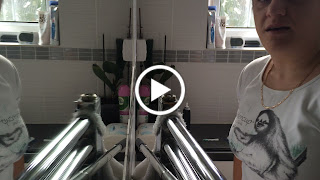
After much research, I purchased and road-tested the following three and made a lovely little video.


My final three are the:

Trend LitePro Fold Flat Mask :
Advantages: a foldable lightweight frame with disposable P3 rated filters, full 8 hours of use per filter for all-day protection, forms a good airtight seal around your face, N95, 99%+ filtration efficiency. Handy if you fancy living a day in the life of a Bane lookalike .....
Disadvantages: despite being foldable it is still bulky. The valve means that you will be protected but it will not stop you from potentially spreading contaminants that you breath out.  It is difficult to be heard when wearing one so you will need to speak quite loudly.  


Garcotex Reusable Anti-Bacteria Mask (caveat; I purchased my packet of one at a local supermarket for £2.99 online they are only available in packs of 5).

Advantages: Cheap, reusable (up to 30 times), washable, comfortable, silver-ion technology, easy to breathe, easy to speak.
Disadvantages: No formal recognised protection certification, no nose bar means it leaves a little gap over the nose bridge

Paxonomy Reusuable Nano Filter Mask

Advantages: lightweight Nano-filter nanofibre filter technology. Sanitary packaging. Ultra-high filtration (superior to N99 and P3). Comfortable, can be worn up to 24hrs per use, reusable (up to 30 times), washable, ergonomic memory-wire nose bridge.
Disadvantages: higher price point, due to the nano-filter it will suck in against your face when breathing in.

Thoughts and findings are entirely my own and I was not paid to give them but hope you may find them useful.

Tuesday, 8 August 2017

Findster - finally the road test!

If you read my first entry about Findster then you are probably back to see what happened.  So despite taking the Findster set all the way to Italy a back we just didn't need it.  But last week we had a trip to Legoland being in the middle of the school holidays this seemed the perfect time to give it a go.

Despite the units being fully charged when I went to test them that morning they were all showing low power.  So - this means they don't hold their power when in standby.  Luckily all units charged that morning in about an hour and a half while we were getting ready.  I packed them away powered down and turned them on when we were about 15 minutes away from the park.  Both units paired to my parent unit without any fuss.

Both boys love wearing the necklaces and I slip them under their tops so that they won't accidentally get caught on something as they are zooming around.

The Test

We had two opportunities to test the system since both boys have a tendency to disappear but thankfully have the common sense to wander too far.  On both occasions we could not see the boys in the mass of children playing and I hoped my phone would guide me.  Unfortunately both times it showed on the screen that the boys were over 20m away when the reality was that they were no more than 4m from where we were standing.  I think its because there is a delayed interval between the child units and parent units updating their location information.  This delay for a parent is no good because naturally at that moment when you lose sight of your kid you are already in a blind panic!

But despite that the biggest issue with the set is the battery issues we encountered that day.  Not only does the Findster app completely drain the battery on my mobile but the units failed to last the entire day.  At 5pm we left the park and you can see that both modules lasted until around 3pm.  Considering that we didn't get to the park until 11am - this basically gives you 4hrs of power with the modules.  Furthermore if I hadn't taken my external battery boost charger for my phone that would have failed as well (in the screenshot you can see that I have it charging but its sitting at 26%).  These two considerations are pretty heavily weighed against the Findster system in my opinion as knowing that you are basically killing your phone battery does not give you peace of mind on a day trip out and you can't fire the system up on demand either because the modules need time to pair - so that isn't an option.


The Verdict

Personally I don't think this system lives up to the hype and whilst this is probably perfect for finding lost pets when you go on walks (which is what the original system was designed for) as a system for keeping track of children it needs work.  I find the whole thing more stressful than it needs to be.  You couldn't grab the system 'on the fly' unless you keep the units charging all the time, but that really isn't practical.  The real worry here is that you could be in a situation where think you can rely on the system to keep your children safe but actually what happens is that you end up with both the phone and the Findster system not working due to depleted batteries which, frankly, that just puts me off using it.

Wednesday, 3 May 2017

Ring a Ring a Roses a Door With a Video Camera!

Now a closer look at Ring.  Another piece of technology that I was REALLY looking forward to a smart video doorbell that I can control through an app but now I'm just glad that I didn't wall mount it before setting it because we didn't even get that far :(

On the plus side to contact Ring was easy - there was a UK number I dialled and got straight through to a friendly American chap in a very noisy office who was happy to chat about my issue - namely that my network simply wasn't appearing in the list of available networks at all.

After trying a few things it turns out that Ring cannot cope with my Linksys tri-band router transmitting both 2.4GHz, 5GHz and indeed 5GHz2 on the same network.  This is actually an issue that I am hitting more an more often with these smart home devices.  Unfortunately I am stuck having one network name for all because Sonos is only available on 2.4GHz and if I have it connect exclusively to that frequency it won't speak to any of my other devices who are happier just choosing whichever comes first. SO, at the moment I can't install it.


UPDATE:  I chatted with Ring Technical Support again late last night but really was wasn't getting anywhere and realised that the only way that this was going to be solved was for m to work this problem just like evey tech problem that I have.

So I slept on the dilemma and awoke at around 4am with 'a cunning plan' as well as decisions on what to cook for dinner - and the good news is that both seem to have worked!  I remembered that my modem is also a router but since I use my Linksys as the main one I could activate the 2.4ghz network just for Ring and get it connected to that.  Since it communicates over the internet I would still be able to access the functionalities on my app or the website despite it being on a 'network' of its own.  So thats what I did, activated and then followed the instructions all over again and Bingo! saw and connected to the network with absolutely no problems.  The rest of the setup was super straight forward and then the added addition of the chime meant it was all functioning before breakfast!  

I want to congratulate my lovely DHL Driver for being the first to try it out!  
I have now moved my Nest Cam to the Living Room as I feel that Ring is going to be more than enough coverage for the front door and drive area since it has superb motion sensors that will kick in even if the doorbell hasn't been pressed and this way both my front and back doors are now covered!  

So now I can actually review it a little better.  No doubt it is bulky for a doorbell but remains the width of a standard UPVC doorframe.  I did however need to mount it on the wall by the door since my doorframe sits back from the wall and restricted the view as a result - so this is a consideration.  Battery apparently lasts between 6-12 months between charge and I will monitor this.  Also there is the ongoing subscription to consider to store the video footage though you get a 30-day trial to see if you need it.

LIFX Lights Up the Dining Area! The Smart Bulb Conundrum

LIFX arrived today!  Yes - I now no longer need to flick a light switch I can madly chat away to Google and get her to do it for me......which is actually pretty handy when you are carrying a whole load of shopping or have your hands full of dinner plates and any other stereotypical parent scenario that you can identify with.

LIFX was easy peasy to install.  Just pop out your old bulb and put your new one smart one in - brilliant.  Asthetically speaking they are much pretty than my old energy efficient bulbs and whilst I read some reviews complaining about brightness I can catergorically confirm that the LIFX bulb is much brighter than the bog standard one that was there before.


I now have successfully linked LIFX to my Nest products after having to have a good hunt for where the 'intergrations' menu was in the LIFX app I realised that I hadn't properly claimed the bulb.  So claim the bulb - then link to Nest and then onto Google Home Assistant.......seamless!  Check out my short video on the funky Google voice command.


Findster - the possible solution to the dilemma of keeping track of your children?

So our twins refuse to be kept on harnesses, leashes and any other of anti-child escape device we have tried and now that they are too big to be strapped down in a pushchair they  find nothing more fun than darting off in every direction at any chance they get got me thinking about if there were any possible technology solutions out there that could help with this dilemma.

I embarked on some serious research discarding nearly all that Google presented to me as most require subscriptions or SIMs cards = ongoing costs.  Which when you weigh level of usage with these ongoing charges it didn't justify the investment.  The cheaper offerings looked to be pretty unreliable and there just didn't seem to be anything inbetween.  

So I firstly decided to go low cost and ordered two ID bands from eBay which are worn on their wrists when we go out with a full explanation that this is the information in case they get lost.  There are a few different types available at a reasonable price some with clasps that cannot be opened easily.  So - at least this way I know when we go out that if they do get lost and are found that our contact information is easy to find.

But as a parent this isn't enough and I felt like I could do better.  It was after that thought and subsequent search on the Internet that I stumbled across Findster's Kickstarter projects.  I was intrigued by their ethos and belief that as a parent this sort of technology should not have any ongoing costs the system also looked simple to use and not bulky (as some other units were).

So I contacted Findster to ask if they were shipping to the UK and if they would be interested in being featured in my blog.  I received a fairly medium of the road response and indifference about being written about here since 'we are so popular that we sell out all the time thanks to Kickstarter'.  'Wow' I thought, 'They must be good' so placed the order and patiently waited.

The package arrived over a week later from Portugal.  The following video was made minutes after it arrived after which I put all three units to charge.  


Later that day I started to try and set it up hoping to be able to use if.  Unfortunately that has simply now been the case and I am beyond disappointed.  Three days later I am still no closer to having a working Findster system and having waited very patiently with their 48hr technical support response times my much awaited 'technical support' help was less help and more of an email that arrived while I was asleep (seems to be based west coast USA) containing lots of links to the Findster FAQs which I have thoroughly already pawed over in desperate quest to resolve this issue myself.  

Just to give some context to the level of frustration that I am experiencing right now I am going to reset everything to zero and demonstrate in a second video my Findster groundhog day loop which I am so disappointed about because I wanted this to be another great gadget!

UPDATE: Findster have been in touch.  It appears that they have sent me a Findster Duo Guardian module in error which is for their pet GPS tracking system and won't work with the Kids system.  So its going back and I await a new set to try again!   


Tuesday, 18 April 2017

Internet of (more) things - Google Home Assistant

Those who know me know that as much as I love Amazon I have hated what they have done to the Android OS on their Fire tablets and for this reason I decided to stall on buying an Echo in favour of waiting for Google Home Assistant, which for all the reports was a bit of a 'will it, won't it' be coming to the UK.  

With the decision made in favour of being released over here at exactly 8am on the 9th of April I reserved one online and quickly drove to collect it.  I had co-incidentally also had a Nest thermostat installed that week and was initially keen to see how the two worked together.

I then left it in the box all day contemplating if I ACTUALLY needed a box that talks to me.

After work I decided to get it out and give it a go.  At first I set-up the unit in my home office but quickly realised that since she can't control my Sonos system it was like having two music players in the room so I had a rethink.  I then plugged her into the hallway and again realised that she would probably only get limited use there as well.

She has settled in the kitchen where I find her the most 'use' but I have to admit my expectations have not been met!  This can sometimes be the downside of being an early adopter and I hold onto the hope that she is learning (as she keeps telling me when she can't answer a question that I ask) but so far I can get the weather forecast, know eta for my work commute, listen to the minute BBC news and music via Spotify (which errors out A LOT and makes me wonder if somehow having Sonos and Assistant under one roof poses a conflict of musical interest between the devices).


What I do think is cool:
Aside from the playing of music or turning on the radio at the command of my voice I am also finding the following helpful in running our house.
The Heating:  I can control my Nest Thermostat via my Google Assistant she can tell you the current temperature and turn the heating up or down so now I can ask my husband to redirect his 'why are the radiators on' and other heating ponders in her direction.....at least she will never tire of them!  
Shopping Lists: As a busy Mum I also find the shopping list function super handy and being in the kitchen I can add as I find whatever has run out.  Basically the simple 'Hey google add peas to the shopping list' will add the item to a google drive electronic 'Shopping list' document that you can then access when you go shopping through the 'Home' app on your phone - though she did understand 'Naan Bread' as 'Number' which meant I had to have a good think when I was looking at it!
The Weather: What should I wear today and more importantly is it worth hanging the washing out?  All these very important questions can be answered while you are stirring your first coffee of the morning.  Simply asking 'What's the weather going to be like today' or even more simply 'Will it rain today?"

What would I like to see?  The smart recipe thing - "ok google give me some recipes for chicken breast" a smart BBC iPlayer thing "OK Google play Doctor Who on my Fire tablet through the BBC iPlayer" and finally I would like to change her name to 'Computer' because 'Hey, Google' and 'OK, Google' gets a little annoying and doesn't make me feel like Captain Picard.

The 'toy' factor - well, my boys adore her and the first evening I found L holding her whilst explaining everything he knew about our family.  This was another reason she now lives downstairs on top of the fridge!  This way they can amuse themselves asking questions without the danger of dropping her!

So let's see how this pans out......and if you have one check out 'Hey Google I'm Feeling Lucky'.

Internet of (some) Things - Nest Thermostat

So we got a leak, a proper dripping ceiling leak that signalled the end of our 40yr old heating system with its banging boiler and various tanks in the loft.  At this point I also decided that this might also be a good time to think about installing a smart thermometer and get on board with some 'Internet of things' compatible devices.


Researching smart thermostat though presented a bigger challenge than I realised.  I knew that the new Google Home device would be released at the same time that my new heating system was being installed so decided to make sure that whichever device that I decided it would be compatible with that which meant that we went with the Nest Thermostat over the Worcester Bosch Wave.  I knew with certainty that Nest is compatible with Google Home assistant and so I would be able to control and monitor the temperature of my house with voice commands - but more on that later on.

Four days later I had one new Worcester Bosch 38cdi combi-boiler installed in the loft with a lovely Nest transmitter box next to it.  Since we had removed the original boiler this meant that it wasn't going to be a simple case of installing the new Nest thermostat where the old one was.  With Nest there is the option so you don't need to run a new thermostat cable though and basically run it via the wi-fi and plugged into the mains.  Granted this means that there is a white cable into the back of the unit but you could have it mounted on a stand so the cable can be hidden.  In our case though with toddler twins running riot around the house I decided that the safer option would be to mount it high on the wall out of reach.

After the plumber had installed the transmitter box I did the installation and setup of the thermostat unit.  I found it fairly straight forward.  There are three pieces to consider; the unit, the mount and the power cable.  There is an additional mount plate that I did not use.


Once you attach the thermostat to the mount the unit switches on.  You then complete the setup by downloading and following the instructions on how to add the device to your Nest account.  In all this took me less than 10 minutes. Two screws into the wall and a click to mount the unit onto the mount.  The interface has a 'far sight' function which means that you can see it from afar and set it to only switch on when you approach it - very nifty!


Now it is working we can control the thermostat from our mobiles via the Nest App.  Computer via home.nest.com and via voice command with our Google Assistant.


I am now planning to have a play with integrating a Nest Protect camera but so far the first one has had to be returned to Google as having worked fine for a week and being throughly impressive it stopped working and has become throughly annoying!  

I am also thinking of controlling some of the lights through some LIFX bulbs - particularly in the hallway where it would be nice if the light would switch on as we open the door but budget restrictions mean I need to save some pennies before making this purchase and sort the Nest Cam!

Neato Bot Bot is here to stay!

So this year I decided that taking out the daily vacuum and handing it over to robot might be the way forward.  My reservations were the effectiveness of having a blind machine rolling around the place sucking up the dirt because whilst they are quite large for a robot they are tiny compared to most vacuum cleaners.

Research took me to the main players namely Roomba and Neato.  I settled on a Neato
because the technology behind how it was going to blindly bumble around my room seemed to have a bit more logic behind it.  I was tempted to get the one that connected to the internet but with a price tag that broke an already stretched budget I settled on a Neato Robotics Botvac D85 Robot Vacuum


Which is one up from the basic model.  The big box arrived home and setup was pretty straight forward.

- Find somewhere to plug it in, dock it and leave it on charge overnight
- Turn it on and setup time and cleaning schedule. Since this it doesn't have a touchscreen you do this  using the buttons located to the sides of the display. 


All setup that's it!  Just leave it docked.  Four months in I can definitely say that these are well worth considering.  Not only do my 3-yr old twins tidy up now that 'Bot Bot' came home and will eat anything left on the floor but the Neato never complains yet reliably comes out everyday.  It has mapped the downstairs space and just makes its way around all the chairs, under the dining room table and all around the living room and kitchen meaning that I can come home to a lovely vacuumed house every day.

Using the boundary marker I can also indicate areas that I don't want it to clean- like the place room for example and whilst we usually keep the floor clean of any debris on the occasions a puzzle of toy has been left Bot Bot has done a pretty fine job of just going around anything he knows he shouldn't be cleaning.  We have both tiled and carpeted floors and they are both tackled equally well with the unit transitioning from carpet to rugs and tiled floors to mats without thinking twice.  He might get stuck sometimes and will beep until someone let's him out but usually learns how to tackle tricky areas.  Noise level is the same as normal vacuum cleaner and he takes about as long as a person to do one level.  No, he doesn't climb stairs, or fly - I have been asked.

In terms of maintenance on the Neato the bagless bin needs to be emptied once a week in our house and the cleaning schedule we have is Mon-Fri.  The brush rollers should be cleaned and cut free of hair regularly - though check out the photo of all the stuff that was around the rollers today!  I can safely say that a wipe won't slow these durable machines down!  Ongoing costs to consider are the the filters which should be changed roughly once a month and can be bought in packs from the internet  The great thing is that the unit 'beeps' to tell you if it needs something and a helpful message on the display will indicate what needs to be looked at such as 'please empty my bin', 'please clean my brushes' etc etc.

I have only had the need to contact Neato technical support once and I found them to be super responsive and very helpful.  They also are more than happy to do straight swap outs in the event that something goes terribly wrong with the unit so the brand also comes with a 'peace of mind' that you would expect when you make an investment like this.

So do you need a robot vacuum in your life.  I would say a resounding 'yes!' give it a go!  Personally I am super happy with 'Bot Bot'  it have given me back precious minutes in my day and if the price tag scares you then my recommendation would be to keep a keen eye peeled for sales and Warehouse deals.

Thursday, 1 September 2016

TomTato and Egg and Chips - tomatoes, aubergines and potatoes ....for the time deficient

I decided this year I would grow some vegetables but needed them to be fairly easy as the twins still demand a lot of attention being so young so I set my sights fairly low - initially I was just going to grow basil but a special offer dropped into my inbox one morning in May talking about an easy to grow crop of tomatoes and potatoes from the same plant! Promising I thought - a 'gadget' plant.  On clicking through I noticed that they also sold a plant that grew aubergines and potatoes on one plant - now, aubergines are something I have never even given a thought to.  

The reviews were good so I thought I would give them a bash.  I needed to order a 40L container to grow them in and settled on this Potato Barrel because I thought the lift up section would be handy for harvesting the potatoes without disturbing the fruits and veg growing about them and its held for the season but will probably be binned at the end of this season.

Anyway, onto the good stuff. They arrived as 12cm high plants  Here we are in August and check out these - buckets of awesome tomatoes and two lovely little aubergines.....all for minimum effort.  I will be harvesting the potatoes soon but all in all its been brilliant!  Even the twins have developed a taste for tomatoes but only when they are picked straight from the vine! 

As this season draws to a close I will most definitely be getting some more next year - grabs yours here: http://www.thompson-morgan.com/vegetables/vegetable-plants/all-vegetable-plants/tomtato-and-egg-and-chips-duo/t70245TM


Friday, 26 August 2016

Begone plain walls!


As my house transformation on a budget continues, and thanks to Walltastic, I decided to use one of their new Large Character Stickers to turn the bland walls in what was our under-utilised Dining area, into a playroom for the twins.  The transformation using the Walltastic Disney pictures was so easy I am hoping one of these giant stickers will do the job and eliminate the need for this room to be painted - because lets face it with kids playing in here I would much rather repaint later! 

So - what is it? The 4ft sticker comes in three pieces in a fairly small box the length and dimensions as a standard wallpaper roll. Inside is the sticker in three pieces along with a light switch, door and half a dozen other themed stickers.

Unboxing revealed the whole thing to be very simple.
  1. I laid out the three pieces and decided the position of the main sticker 
  2. I started by removing the middle section from the backing paper very slowly.  The quality is very good and the smell reminded me of plasticised the Panini stickers I used to put in my stick books as a child.  In fact this was a fun as that!  I positioned the middle section in place touching the top edge.  
  3. Next the right side then the left - take care to 'touch' into place the sections to allow for repositioning.
  4. Smooth out with a cloth with care


That's it, time to transformation - 20 minutes tops!  I can happily say this has done the job and leaves plenty of space for some shelves and hooks to be added! Finished sticker is below, see what you think!  If you like this idea you can find all the designs here Amazon with free delivery.......

 
Playroom so far


Sunday, 31 July 2016

Post Holiday - Towels, Bags, Bedding and a little Aubergine

So - been a while but we got back from Italy and as promised here are the reviews for a couple of new bits we intended to try out while holidaying with the twins this year.

Dock and Bay towels definitely were worth the investment.  As I mentioned in the last post they weigh next to nothing and took up no space in our luggage but were indispensable!  We purchased two X-large ones in the stripes and two plain Large ones.  

I washed them as per the instructions - which is no fabric softener before leaving and packed them into their little bags.  We were able to use them continuously for the two weeks that we were away and only required a quick sink 'refresh' wash every couple of days.  Both on the beach and by the pool the all performed really well four our family.  The x-large ones were larger than the sun loungers and covered them completely which also meant that they were a superb size to cover up an adult.  The large ones for the kinds were perfect as well and have been made well so with plenty of growing room I am pretty sure they will serve us for years to come.

The washed and air dried in 30minutes on a hot afternoon and have not suffered from any fading as far as beach performance goes - a quick shake removed any sand and the way they almost instantly dried meant that even after multiple dips in the water you weren't at any point in the day left with a damp towel.

The only bit that takes a bit of getting used to is the technique of 'patting' instead of 'rubbing' dry......or alternatively just wrap yourself tight in one and find yourself dry on the unwrap. All in all - these are going to be a firm fixture for anymore holidays.

Collapsable bags.  Out of the two new ones I purchased this year I have to say that I loved the Go Travel Foldaway Tote bag.  It was really durable and looked great for both day and night use.  There was ample space for all the usuals (wallet, camera, sunglasses, water bottles, husband's stuff) and a full nappy changing kit for twins and spare clothes!  I was deep (13 litres) but not too wide so it didn't get bulky making it easy to carry on the shoulder. I could even fit supermarket shopping in it without a problem.  Zip is good and sturdy and best of all it cost £4.99 with free delivery.  

Cabin Max Metz bag, so this was primarily purchased for my husband to carry as hand luggage for the flight.  He was packed up with nappies and games and snacks in addition to his tablet and wallet.  Sat very well on his back and was easy to get on and off in a rush.  The separate front pocket was useful to make things like snacks easily accessible. We found that is was perfect for the flight but on arriving at the location it isn't the sort of backpack that you would take out for a day trip - it was just too big so wouldn't be good if you were looking for something dual-purpose and considering that you pay a little extra for the 'cabin baggage' guarantee it may well be worth finding a standard rucksack.

I will also try and find some photos!

Next up for reviews: well the boys are two and a half and will no longer tolerate their Gro-bags when going to bed and having just removed the bars from their Bunk Cots to convert them to toddler beds I thought I would give the Gro Company Gro-to-bed Bedding which claims to be an "all–in–one duvet cover, bottom sheet and pillow case set has been cleverly designed with zips to keep the duvet in place and help to prevent little children from rolling out of bed."  With a fairly high price point for someone that needs to invest in at least two but ideally four they better be good!  I might also enlighten you to how we have found the Bunk Cots since they were also a gamble of an investment at the beginning but over two years down the road are really showing us that they were well worth the outlay!


I am also going to tell you about TomTato (AKA Ketchup and Chips plant) and 'Egg and Chips' plants I purchased in May when I was fairly unconvinced about the claims that they would deliver with relatively little effort Tomatoes and potatoes on one plant and aubergines and potatoes on the other ....relevant for all you Mums and Dads of multiples out there that used to grow your own but think that you no longer can........not to mention totally bonkers......what can this alien plant be - can't possibly be true - or can it?!!!

Wednesday, 8 June 2016

Treat for my Teeth - the Oral-B Genius 9000 Smart toothbrush

A DHL truck outside my house can only mean one thing, well two actually; either I have forgotten about something that I have ordered online or the wonderful people at BrAun have be kind enough to send me to try out.  So always willing and able here I go!

Since I am still only on week 11 of the initial 12 week course using their Silk Expert IPL Hair Removal system and Sonic Body Exfoliator (still to write a blog post on the overall results of using the system after after 12 weeks about that keep following) I am super lucky to have been chosen to tooth-test the new Oral-B Genius 9000 before it goes on sale!  So see it here first folks.  


The box contains a mixture of familiar and unfamiliar pieces.  This is my third Oral-B electric toothbrush I am pleased to find the the unit is lighter than my current Triumph model.  The new black body is also sleeker and looks much cooler than the old white ones associated with the brand (though for those of you that prefer white it will be an option on this model).

New features are the bits that I like to get my teeth into (excuse the pun!).  So we have a mobile phone holder and bluetooth connectivity icon on unit.   This readers can only mean one thing to tech geeks - this is a Smart toothbrush and we need an APP!  

I presumed that scanning the QR tag in the instruction booklet would take me straight to the app in the appstore, this however is not the case it took me to Product registration - which needs to be done as this will extend your guarantee but this model isn't there yet! To find the app I had to do a traditional search and hope that I am downloading the right one. Bearing in mind that this product is not on sale yet so perhaps this will change.

Unboxing video!

App downloaded.  Toothbrush unit needs to charge.  The nice touch with this model is that you can either mount it on the traditional vertical stand or inside the Smart Travel Case which charges the toothbrush and mobile phone!  I am going to be trying out the latter.

I will then need to pair my phone to the toothbrush and this can't be done while its charging so that's all for now folks!  Check back later for more!


A little time later...... its all charged and ready to go!  I unfortunately made a little video because this is more of a show and tell gadget (apologies in advance as this is clearly NOT my day job!).  In summary nice lightweight unit which feels good to hold and is the same size but lighter than previous models.  Some older brush heads are compatible and will fit on the top and the app once you have positioned the phone correctly seems to work well
but needs a little practice.

Pros buying the new Genius 9000:

  • The lightweight handle
  • The Smart Travel Case with inbuilt charging for toothbrush and phone!
  • Easy to pair phone with toothbrush
  • The app reminding me to use my mouthwash and clean my tongue
  • The feel after you have finished cleaning your teeth - definitely more effective leaving that smooth feeling
  • The 'oh so pretty' personalised 360 degree LED colour ring
So far so good!  I'll be back with more updates in a few days!

14/06/16 - UPDATE
Err.....The app is REALLY annoying.  I hope they refine it before they release but I am unsure what they can do to make it better.  The technology needs work I think it just can't accurately tell where I am brushing so sometimes takes twice as long because you have to hold it in the same place for ages in order for the app to pick up on it.  Being a Mum as well I sometimes want to just 'brush my teeth' - that was the beauty of the Smart Meter, it just quietly sat in the bathroom and would automatically count down as soon as you started your toothbrush.  No phone to find, then unlock, then open the app, then make sure the app sees the brush, then confirm the prompts, then brush your teeth which when you have precious time before the next fight or 'Mum' request is so important.  I don't want teeth brushing to start becoming another thing I need to maintain the app needs to make the process easier not more complex.

The toothbrush itself is great though and you can feel that you get a really great clean.  It will be the first electric toothbrush I take on holiday I think this year I am so enamored - despite the failings of the app.

<div id="google_translate_element"></div><script type="text/javascript">
function googleTranslateElementInit() {
  new google.translate.TranslateElement({pageLanguage: 'en', layout: google.translate.TranslateElement.FloatPosition.TOP_LEFT, gaTrack: true, gaId: 'UA-36061448-2'}, 'google_translate_element');
}

</script><script type="text/javascript" src="//translate.google.com/translate_a/element.js?cb=googleTranslateElementInit"></script>

Tuesday, 7 June 2016

Bedroom Makeover with Walltastic Disney Collages


I know I promised to update you on my holiday purchases and that post will come, in the meantime I decided to dive in and FINALLY decorate the boys' bedroom yesterday which up until now has been a sea of neutral paint.  We moved here late last year and whilst I have had the ideas all lined up it was, as is often the case, a real lack of motivation and time that was holding me back from making them a fab bedroom.  Not to mention the weather.  We needed a sunny day to ensure speeding drying to deter the boys from peeling before bedtime!  

Anyway, the weather was right and Walltastic Disney Collage was the answer! So, what are they all about?  Well, 64 sheets of Disney characters in a box in either a blue or pink background.  We went for the blue set which comes with the Disney pictures, a small instruction booklet and a pouch of enough wallpaper paste to make seven litres (I used a fraction of it!).

What I like about them:

  • I'm not a decorator and found the slightly larger than A4 sized sheets were less intimidating and required significantly less set up than normally wallpaper 
  • The variety of characters, and there are loads, 78 as quoted by the box, this means that when the time comes that they no longer go loopy for the Lion King there are plenty more characters to choose from.  
  • No arguments; one loves Olaf, the other Nemo? No problem they are both on the wall!
  • If they get ruined or damaged you can just replace the one sheet without having to redecorate the whole room

I decided to write this post after I had finished because I really was unsure at how the whole thing would pan out but trust me readers - it was easy.  Done in two stages in a little over two hours.  

Equipment:
  • One bucket to mix the paste in
  • A stick to mix the paste (once you add the water its ready in 90 seconds
  • A smaller bucket with water and a cloth (to wipe down the pasting bench)
  • A flat surface (this is the great bit, you don't need a decorating table! I used a piece of wood and lay it on the floor)
  • Two cloths; one to clean your pasting bench the other to smooth down the designs
  • A brush (I used an ordinary clean painting brush)
Doing four sheets at a time I would lay them out and stick them up and once you get in the swing of it it really was easy.  The margins inside the designs aren't straight this means you don't even need a spirit level when you are putting them up, I just followed the ceiling and gave each one a very slight overlap (because they expand with the moisture of the paste and will shrink again as they dry).

Tips:
  • Worth sticking them up with blue tack to see how they will lay out first.  I didn't do this with the window which resulted in a couple of fill-ins - and actually thats the only downside the box could do with a couple of blank sheets that you can use where your room may leave a couple of gaps so that you can cut them down and use them to fill in those areas.


All in all - the boys were absolutely thrilled and I couldn't help but be impressed, we kept the blinds and walls neutral because there is so much colour and all for a bargain price of £29.99! 

These pictures are superb quality making them an excellent option to quickly transform a bedroom and you can use as many or as few as you like!